

Launched by ConsenSys in 2016, MetaMask (Little Fox Wallet) is an ethereum self-hosted hot wallet with more than 30 million monthly users in 2026, making it the world's most popular EVM-compatible wallet. metaMask supports more than 100 EVM-compatible chains (Ethereum, Arbitrum, Optimism, Polygon, Base, BNB Chain, etc.) and added native Bitcoin support in December 2025, MetaMask supports more than 100 EVM-compatible chains (Ethereum, Arbitrum, Optimism, Polygon, Base, BNB Chain, etc.) and will add native Bitcoin support in December 2025, making it possible to manage BTC directly within MetaMask. Between 2025 and 2026, MetaMask is also expanding into a multi-functional Web3 platform with the introduction of perpetual contract trading, MetaMask Card, Social Login and Rewards.
This article demonstrates step-by-step the complete creation process for PC and cell phones, covering the backup of helpers, first time transfer, DApp connection and HKD deposit method. It also analyzes all the major new features in 2026 and the comparison with OKX Web3 Wallet, helping readers to choose the best Hot Wallet that suits their needs.
Before using MetaMask, it is recommended to understand the basics of cryptocurrency wallets:The Complete Guide to Hot and Cold Wallets: Principles, Pros and Cons, and Recommended Comparisons。
Want to learn how to buy cryptocurrency on a licensed platform first? Refer to 2026 Complete Comparison of Crypto Currency Trading Platforms in Hong Kong。
What is MetaMask? How does Little Fox Wallet work?
MetaMask is a self-hosted cryptocurrency hot wallet that runs as a browser extension (Chrome, Firefox, Brave, Edge) and a mobile app (iOS, Android). "Self-hosted" means that the private keys and tokens are kept entirely in the user's possession, and neither MetaMask nor ConsenSys has access to your assets.
MetaMask's core function is to act as a bridge between users and blockchain applications (dApps). When you visit decentralized apps such as Uniswap, Aave, OpenSea, etc., MetaMask displays transaction details in the form of a pop-up window, which the user confirms, signs with a private key, and broadcasts to the blockchain. Throughout the process, the private key remains on the user's device and is never uploaded to any server.
MetaMask utilizes the HD (Hierarchical Deterministic) wallet architecture - a set of 12 auxiliary words that can derive an unlimited number of wallet addresses. Instead of backing up each chain individually, the user only needs to save the set of auxiliary words to recover all assets.
What are the major updates to MetaMask 2026?
MetaMask has evolved from a single EVM wallet to a multi-functional Web3 trading platform by significantly expanding its functionality between 2025 and 2026, with the following key milestones:
Native Bitcoin Support (December 2025)
MetaMask has officially added BTC support, automatically generating Bitcoin wallet addresses (native SegWit format), allowing users to buy, send, receive and Swap BTC directly within MetaMask without the need to use Wrapped BTC or third-party cross-chain bridges, with Taproot address support coming soon. Taproot address support is also coming soon. This is the most significant architectural expansion of MetaMask since its launch in 2016.
Permanent Contract Trading + MetaMask Rewards (October 2025)
MetaMask launches Perpetual Futures leveraged trading function and Rewards system at the same time. Users can earn points for every Swap and Perp trade, and the points can be added to the referral program. MetaMask has officially transformed from a "wallet tool" to a "one-stop trading platform".
MetaMask Card (2025)
The MetaMask Card is available in Virtual and Metal tiers, supports Mastercard global purchases, and can be used to pay for everyday expenses with crypto assets directly from the MetaMask wallet without the need to withdraw funds to a bank account first.
Social Login (2025)
New users can log in with either a Google or Apple account, eliminating the need to memorize 12 bywords and lowering the barriers to getting started. 30% Existing users can still keep their traditional byword backups, and the two modes can co-exist.
Transaction Shield (2025)
Trading protection up to USD 10,000 per month and fast support in case of trading problems.
MASK Tokens (coming soon)
ConsenSys CEO confirmed in September 2025 that MASK tokens will be issued soon, linked to the Linea L2 ecosystem, with the goal of decentralizing the governance structure of the MetaMask ecosystem. The official release date has not yet been set, please refer to the official MetaMask website.The announcement is prospective, do not trust any third-party website that claims airdrops in advance.
How to create a MetaMask? Complete Tutorials for Computer and Cell Phone
Step 1: Go to the official download page
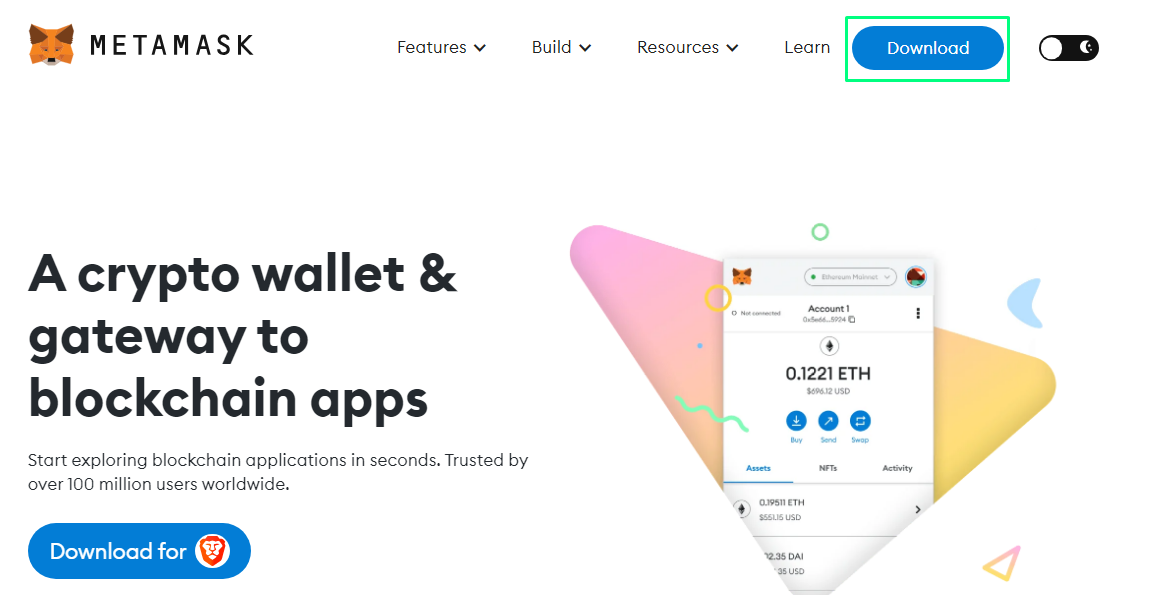
Visit the official MetaMask download page, choose your browser (Chrome, Firefox, Brave or Edge) and click "Install MetaMask" to install the extension. Always download from the official metamask.io website or search for "MetaMask" from your browser's extension store, do not use third-party links as fake extensions are the most common phishing scam.
Step 2: Create new wallet
After installation, click on the fox icon and select "Create a new wallet" to set a password (for unlocking the local app, not related to private key).
Step 3: Backup Auxiliary Words (Most Critical Step)
MetaMask will display 12 English words with their auxiliary words. Please copy them in order with a pen and paper and store them in a safe physical location. Absolutely no: screenshots, memos, uploads to iCloud / Google Drive / any cloud service. Anyone who gets access to your notebooks will have full control over all your assets.
Step 4: Verifying Auxiliary Words
MetaMask requires the auxiliary words to be filled in sequentially to ensure that the backup is complete and the wallet is created successfully.
Mobile (iOS / Android App) Installation Steps
Step 1: Download from the official channel
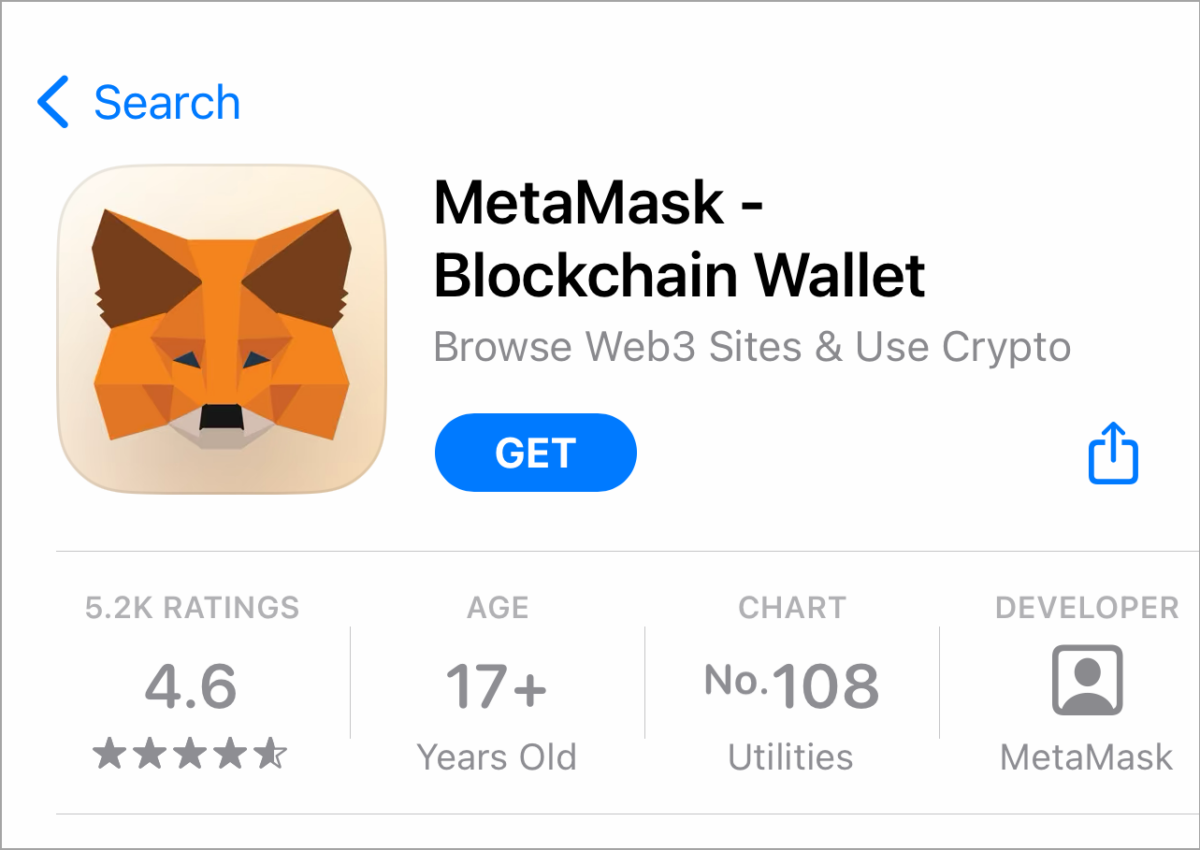
For iOS users, go to the App Store and search for "MetaMask"; for Android users, go to Google Play and search for "MetaMask". Verify that the developer is "MetaMask" and that the official version has millions of downloads.
Step 2: Create a wallet or import to an existing wallet
Select "Create a new wallet" to create a new wallet, or select "Import using Secret Recovery Phrase" to import an existing wallet with a mnemonic.
Step 3: Auxiliary words backup as above
The mobile version also displays 12 auxiliary words, and the backup principle is exactly the same as that of the PC version.
What are the features of MetaMask? Deposit, Withdrawal, and Swap.
How do I deposit to MetaMask?
MetaMask does not support direct deposit in Hong Kong Dollars (HKD) or French Francs, the deposit process is as follows:
Method 1 (Recommended): Withdrawing coins from CEX
- Buy BTC or ETH in HKD on a licensed exchange (OSL or Victory Securities).
- Copying your MetaMask wallet address
- On the exchange's "Withdrawal" page, select the corresponding network (e.g. ERC-20 for ETH, Arbitrum One for Arbitrum)
- Enter the MetaMask address and confirm the coin withdrawal.
The network must be properly paired - withdrawing ERC-20 tokens to a BSC address will result in lost assets. Test with a small amount if unsure.
Detailed HKD Trading Compliance Method Reference Hong Kong OTC Education。
Method 2: MetaMask Built-in Purchase Function
MetaMask has a built-in credit card / Apple Pay currency purchase function (through third-party service providers such as Transak, MoonPay), but with a higher fee, it is suitable for urgent small deposits.
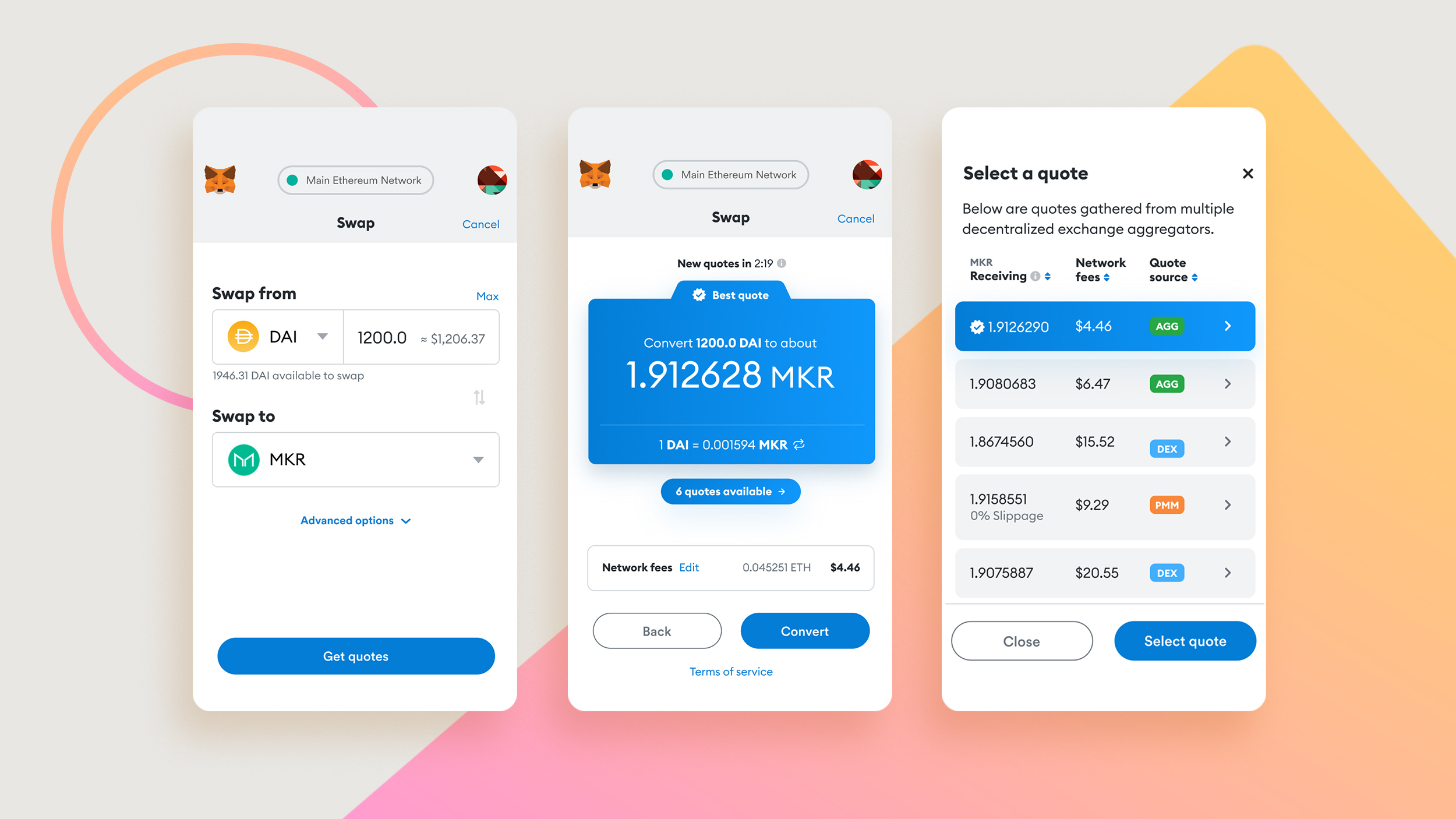
How to do Swap in MetaMask?
MetaMask has built-in cross-platform DEX aggregation that automatically compares multiple liquidity sources such as Uniswap, Curve, 1inch, etc. to find the best exchange rate for users.
MetaMask Security Best Practices: 6 Principles to Avoid Theft
The vast majority of MetaMask thefts are due to user error rather than vulnerabilities in MetaMask itself. Here are 6 principles to minimize the risk of asset loss:
1. Auxiliary word entity backup
Copy the 12 aids in order with pen and paper and store them in a safe, physical location (e.g., a safe deposit box). For greater durability, use a metal backup cardboard (such as Cryptosteel or Billfodl) that is fireproof and waterproof. Do not take screenshots, save memos, upload to iCloud / Google Drive or any cloud service.
2. never respond to unsolicited private messages
The official MetaMask team never sends out unsolicited private messages, and any account contacted on Discord, Telegram, or Twitter under the name "MetaMask Support" is a scam. A common tactic is to pose as customer service and ask for a pass phrase, which, when given, is tantamount to handing over all of your assets.
3. Connecting the DApp's Front Verification Domain Name
Phishing sites often use domain names that are very similar to the original (e.g. unlswap.org, uniswop.com vs. uniswap.org). Before connecting to any DApp, make sure the domain name is completely correct in the browser's URL bar. It is recommended to set up browser bookmarks for frequently used DApps to avoid re-searching each time.
4. Consolidate hardware wallets to protect large assets
For users holding more than HKD 50,000, it is recommended to connect MetaMask to Ledger or Trezor hardware wallet. After connecting, the private key will always remain on the hardware device and assets will not be compromised even if the computer is infected with malware.
5. testing high risk with separate accounts
The dApp creates a new "test wallet" (account, not a new wallet) within the MetaMask, specifically for testing unfamiliar protocols. The master wallet is only connected to verified, multi-use DApps to prevent the master account license from being exploited by malicious contracts.
6. periodic review and revocation of token authorizations
Each time you connect to a DApp and license tokens, you are effectively granting the smart contract access to the tokens for an indefinite period of time. Use revoke.cash to periodically review and revoke the licenses of DApps that are no longer in use, preventing old contracts from being exploited or maliciously upgraded to siphon off funds.
MetaMask Frequently Asked Questions
Q: Is MetaMask legal to use in Hong Kong?
MetaMask is a self-hosted software tool that does not involve a financial services license and is not subject to SFC regulation in Hong Kong. However, some of the DeFi agreements and DEX connected through MetaMask may be "gray area" services and users should assess the risks on their own.
Q: How does MetaMask deposit in HKD?
MetaMask does not support direct HKD deposits. The standard process is to buy USDT or ETH in HKD on a licensed exchange (OSL or Victory Securities) and withdraw coins from the exchange to a MetaMask address. The withdrawal network must be the same as MetaMask's receiving network (e.g. both Ethereum mainnet or both Arbitrum).
Q: How can I remedy the leakage of MetaMask mnemonic?
Assets are at risk of 100% loss and the following actions must be taken immediately: first, immediately import the MetaMask on a new device with the same token; second, transfer all assets as quickly as possible to a newly created wallet with a brand new token; and third, speed is critical, as hackers often sweep assets away in minutes. Do not continue to use the leaked token afterward, and do not reuse it anywhere.
Q:How can I forget my password for MetaMask?
The MetaMask password is only used to unlock the local app, not the private key itself. To forget your password, click "Forgot password" and enter a token to reset your password and restore access to your wallet. This is only possible if you have the token you backed up in the first place.
Q: What blockchains does MetaMask support?
In 2026, MetaMask will support more than 100 EVM-compatible chains, including major networks such as Ethereum, Arbitrum, Optimism, Base, Polygon, BNB Chain, Avalanche, etc., with native Bitcoin support to be added from December 2025 onwards. Non-EVM chains such as Solana will need to extend support through MetaMask Snaps or switch to OKX Web3 Wallet.
Q: What should I do if the MetaMask Gas fee is too high?
Gas fees are determined by the blockchain network itself, not by MetaMask. Ways to lower your Gas fees include: transacting during off-peak hours (e.g., weekends or late night in Asian time zones); choosing a Layer 2 network (e.g., Arbitrum, Optimism, Base) to execute your transactions, where Gas fees are typically 10 to 100 times lower than on the main ethereum network; and checking your current Gas fee status with the Ethereum Gas Tracker.
Conclusion
A lot of people think they're "in" when they've installed MetaMask. But for real newbies, the wallet is just the starting point, and the real learning process has just begun.
MetaMask itself is just a key. It can help you enter the world of DeFi, connect to various DEX, and participate in on-chain agreements - but what's behind that door, what opportunities are worth participating in, and what risks to avoid are the things you really need to figure out.
If you've just created your first MetaMask wallet, it's a good idea to ask yourself the question, "What do I want to do with it next?" Should I participate in DeFi earnings? Should I explore NFTs or connect to Hyperliquid to trade on the chain? Learning with a specific goal in mind is far more effective than "getting to know Web3".
Our community and content resources are built with this goal in mind! If you'd like to learn more about Web3's various segments and keep up with the latest on-line opportunities, join our Telegram CommunityWe have a rich network of industry contacts to help you grow and get on the road together!